
Manual checks
Record the results of the WCAG checks a scan can't judge, such as keyboard use and meaningful alt text, on each site's Manual checks tab.
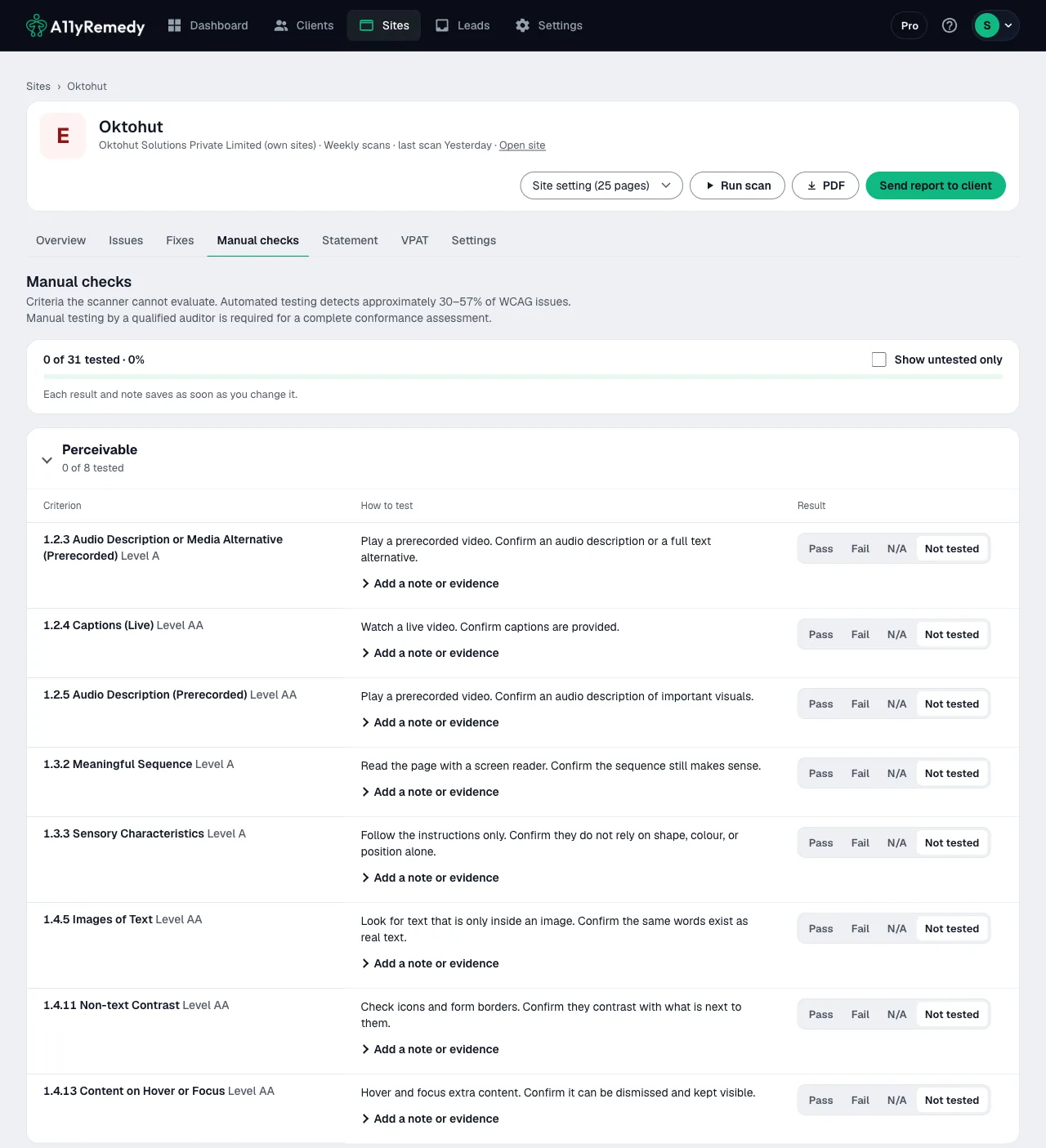
Automated testing finds only part of WCAG issues. The Manual checks tab lists the criteria a scanner can’t evaluate, so a person can test them.
Record the results
- Open the site and go to Manual checks.
- Criteria are grouped as Perceivable, Operable, Understandable and Robust. Each has How to test.
- Set a Result for each criterion: Pass, Fail, N/A or Not tested. Select Add a note or evidence to record what you found.
Everything saves as you go. The top of the tab shows how many criteria are tested; Show untested only hides the rest. A group shows Every check in this group has a result. when it’s done.
The results feed your accessibility statement and VPAT draft.
Last updated