
Clients
Add clients in A11yRemedy to group each business's sites, put their name and logo on reports, and set up report emails and portal access.
A client is the business a website belongs to. It groups that business’s sites, and its name appears on the reports it receives. Scanning your own sites? Use your own business name.
Add a client
- Go to Clients and select Add a client.
- Enter the client’s name, such as Gravel Ridge Dental, and an optional Contact email.
- Select Add client.
You can also add a client while adding a site, with + New client….
Edit a client
In the Clients list, select Edit on the client’s row to change:
- the name, contact email and logo (shown next to your logo on reports, statements and the portal);
- Report emails and Report recipients; see Send reports to clients.
The Clients list shows each client’s sites, their Worst grade and Portal access.
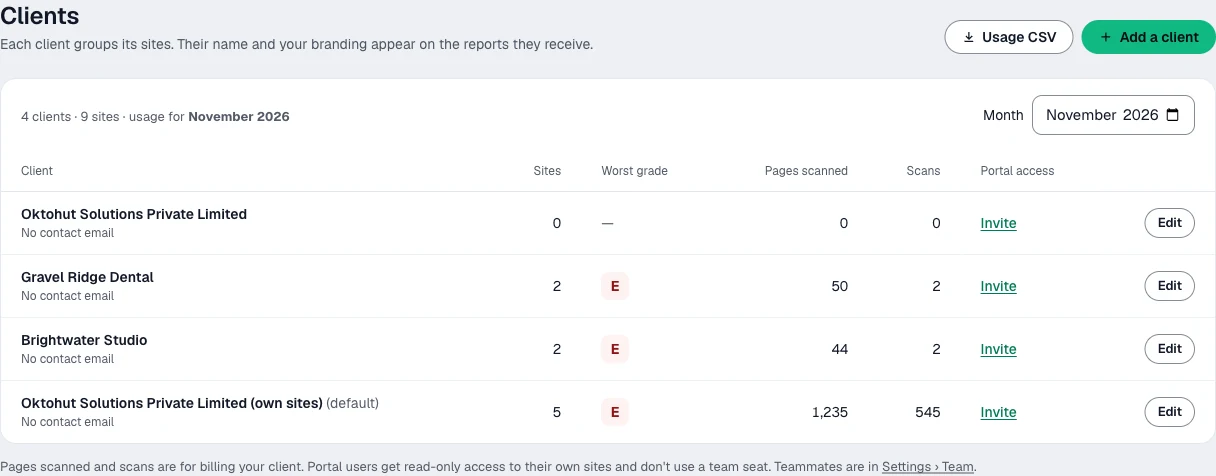
Delete a client
Edit the client and use Danger zone, then Yes, delete client.
Last updated